


Gmail is evolving from an email service into an AI-powered productivity assistant, with Google introducing smarter email summaries, personalised replies, improved inbox management and new voice capabilities throughout 2027. Announced by Google in January and expanded with voice features in September, these updates aim to help individuals, professionals and businesses spend less time digging through messages and more time acting on important information. For South Africans juggling work deadlines, university applications, client enquiries and the occasional family WhatsApp that somehow requires an email follow-up, the changes raise an important question: can a smarter inbox give us some of our time back?
At SFI.COZA, we find the most interesting technology developments are not necessarily the ones with the flashiest demonstrations. They are the ones that quietly improve everyday life. And email, despite our love affair with instant messaging, remains central to how we work, study, build businesses, and maintain professional relationships.
Google says approximately three billion people rely on Gmail. That is a remarkable audience for a product that began in 2004 and is now entering a more AI-focused era. Here is what is changing, what the new features actually do and what you should know before expecting your inbox to become your personal executive assistant. Source: Google.
Revolutionize Your Email Experience: Gmail's Latest Updates Will Blow Your Mind! Share on X1. Gmail Can Summarise Long Email Conversations
Few things test one’s patience quite like opening an email thread with 26 replies, three people copied in, and a subject line that has changed only slightly since February.
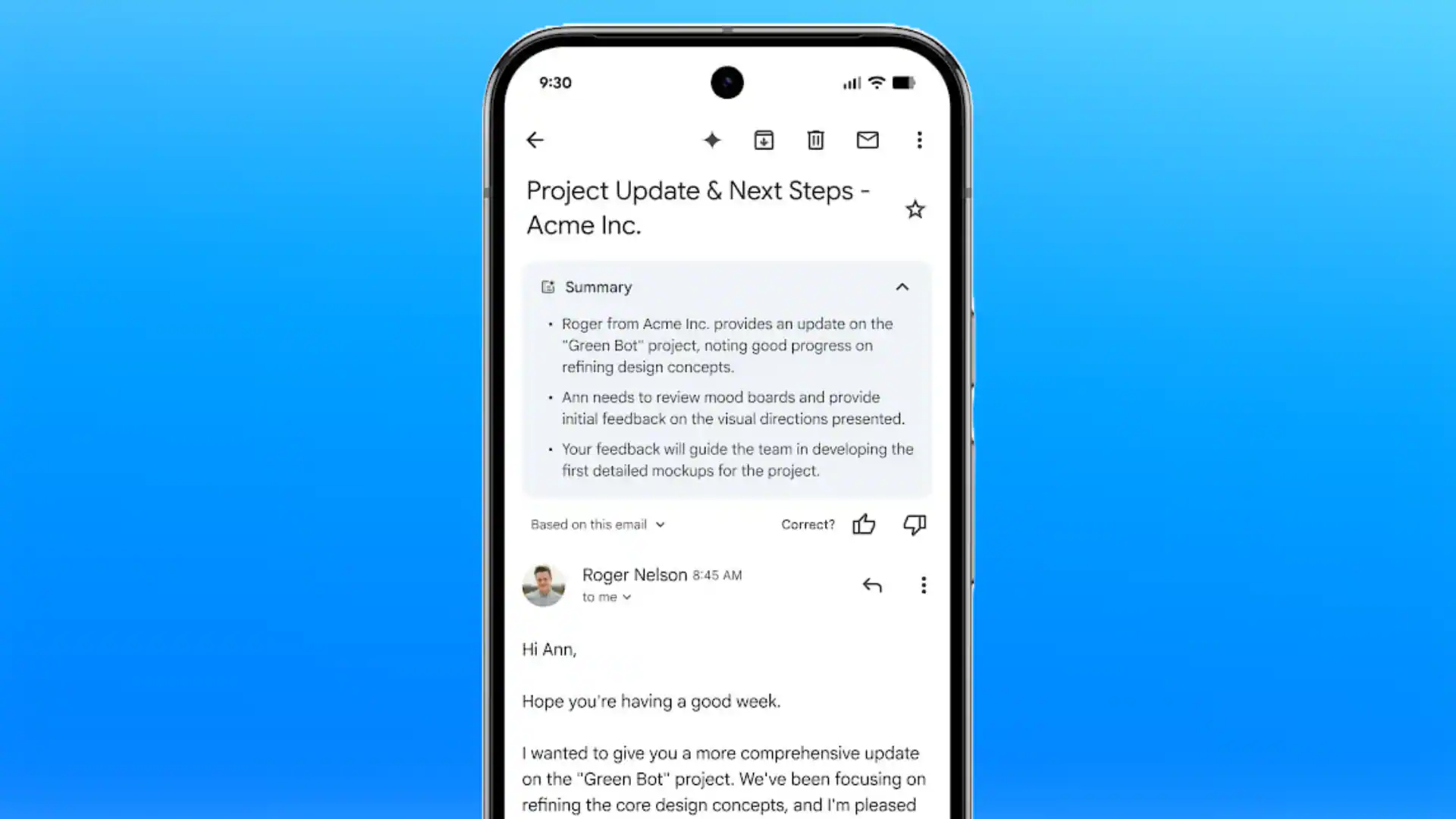
Gmail’s AI Overview conversation summaries are designed to make those exchanges easier to understand. Instead of manually reading every message, eligible users can receive a concise summary of the important points in a conversation. Google’s Gmail Help explains how the feature works.
Imagine coordinating an event with a client, a designer and a venue manager. The date changes, the budget gets revised and someone introduces a new requirement halfway through the discussion. Rather than rereading every message, you could use the summary to identify the latest decisions before responding.
However, a summary is not a substitute for checking the original email when exact wording, contractual commitments, figures or deadlines matter. AI can help you find the signal in the noise, but you remain responsible for the final decision.
Revolutionize Your Email Experience: Gmail's Latest Updates Will Blow Your Mind! Share on X2. Gmail Search Is Becoming More Conversational

Most of us have developed our own questionable methods for finding old emails. We search for a person’s name, add a random word, remove it, try another phrase and eventually discover that the email was filed under a subject we had completely forgotten.
Google is expanding the ways users can search their inbox using natural-language questions. With eligible Gemini features, users can ask for information from previous emails and, where supported, receive an AI-generated answer or overview rather than simply scanning a list of results. Google’s official Gmail feature guide explains the available capabilities.
For example, you might ask, “When did the client confirm the meeting?” or “What was the delivery date mentioned in that conversation?”
This is particularly useful for freelancers, founders and small-business owners who use email as a record of decisions. When a customer asks about an earlier quotation, being able to locate the relevant details quickly can make the difference between a confident response and an awkward request to resend information.
Google also introduced a relevance-based Gmail search experience in March 2025, which can prioritise messages according to signals such as recency and interaction rather than relying exclusively on chronological order. Read Google’s announcement.
The catch is availability: not every search experience or AI-generated answer is available to every Gmail account.
Revolutionize Your Email Experience: Gmail's Latest Updates Will Blow Your Mind! Share on X3. Help Me Write Can Give Your Emails a Head Start
Writing a professional email sounds simple until you have rewritten the opening sentence six times and still cannot decide whether “I hope this finds you well” sounds polite or as though you are applying for a diplomatic position.
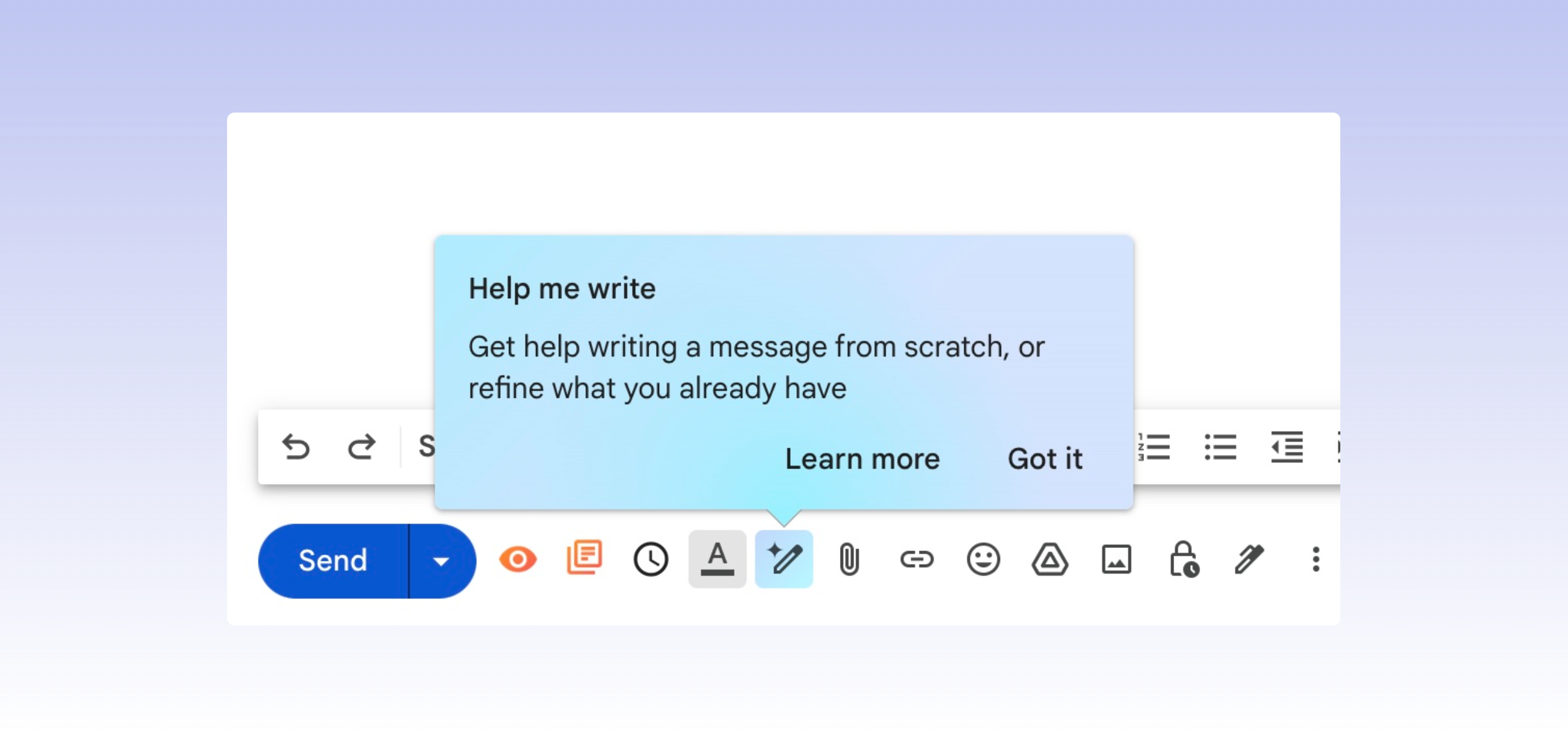
Gmail’s Help me write features that use Gemini to draft new emails and refine existing text based on instructions. You can ask it to make a message more formal, shorten it, or improve its clarity. Eligible users can access the feature through supported Gmail experiences. Source: Gmail Help.
Consider a South African entrepreneur following up with a potential investor. The message needs to be concise, respectful, and persuasive without sounding desperate. An AI-generated first draft can provide a useful starting point, allowing the founder to concentrate on the substance of the proposal.
I see the value here as reducing the friction between having something important to say and finding the right words to say it. AI can help organize your thoughts, but it should not invent business achievements, promise services you cannot deliver, or manufacture enthusiasm you do not genuinely feel.
The smartest approach is to let Gmail help with the wording while you remain responsible for the message.
Revolutionize Your Email Experience: Gmail's Latest Updates Will Blow Your Mind! Share on X4. Suggested Replies Are Becoming More Personalised
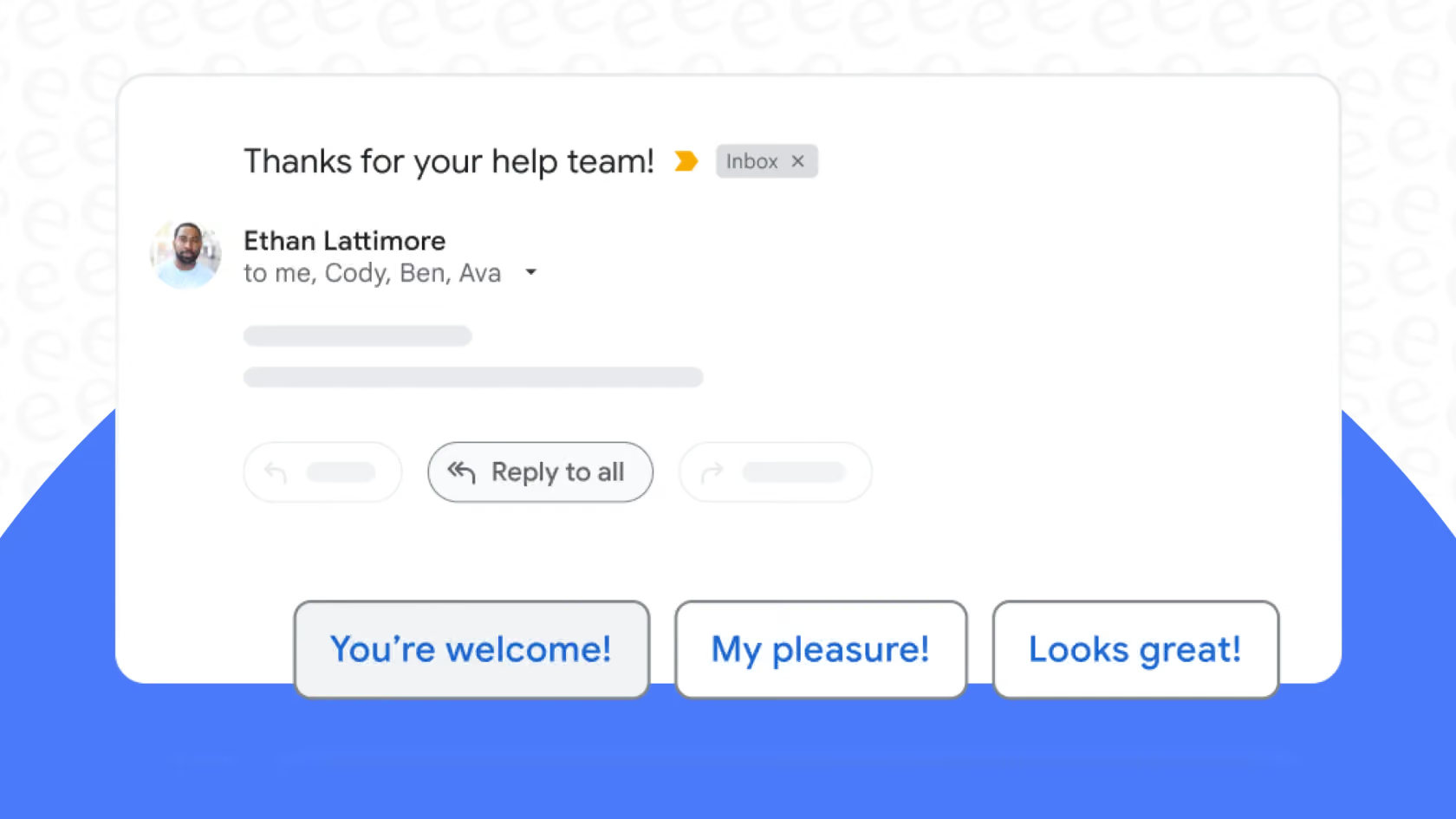
Traditional suggested replies are useful when someone asks a straightforward question. A quick “Thank you” or “That works for me” can save a few seconds, although those seconds add up when the inbox is busy.
Google has been developing more context-aware replies that can better reflect the conversation and, in certain eligible experiences, a user’s writing style. Its Workspace announcements have described personalisation using context from previous emails and Google Drive files. Read Google’s Workspace announcement.
Picture receiving a meeting invitation while preparing for another appointment. A suggested response could help you acknowledge the invitation or communicate your availability without composing every word from scratch.
There is a professional advantage, too. Small-business owners and independent consultants often handle their own correspondence, customer service and administration. Even modest improvements in response time can make those responsibilities more manageable.
Still, speed should not come at the expense of personality. If a client has raised a sensitive concern, a generic AI-generated reply may feel cold. Review suggested messages carefully, especially when the relationship matters more than the convenience of sending something quickly.
Revolutionize Your Email Experience: Gmail's Latest Updates Will Blow Your Mind! Share on X5. Gmail Is Introducing Voice-Based Inbox Assistance

One of Google’s more interesting developments in 2026 is the introduction of Gmail Live, a conversational voice experience announced in September. It is designed to let eligible users speak naturally to Gmail and ask questions about information in their inbox. Source: Google Workspace.
The idea is simple: instead of typing a search query and opening several messages, you can ask a question aloud and use a conversational interaction to find the information you need.
Imagine preparing for a meeting while organising your notes. You need to recall the time a supplier confirmed delivery or find a detail buried in an earlier exchange. Voice-based search could make that process more convenient, particularly on mobile.
This is not the same as giving an AI unlimited authority over your inbox. It is an additional way to interact with email, and its usefulness depends on whether it is available on your account and device.
Google lists Gmail Live among its eligible Google AI plan features. South African users should check the current availability and subscription requirements before expecting to use it. A feature appearing in Google’s global announcements does not necessarily mean every account receives it at the same time.
Revolutionize Your Email Experience: Gmail's Latest Updates Will Blow Your Mind! Share on X6. AI Inbox Wants to Help You Focus on What Matters
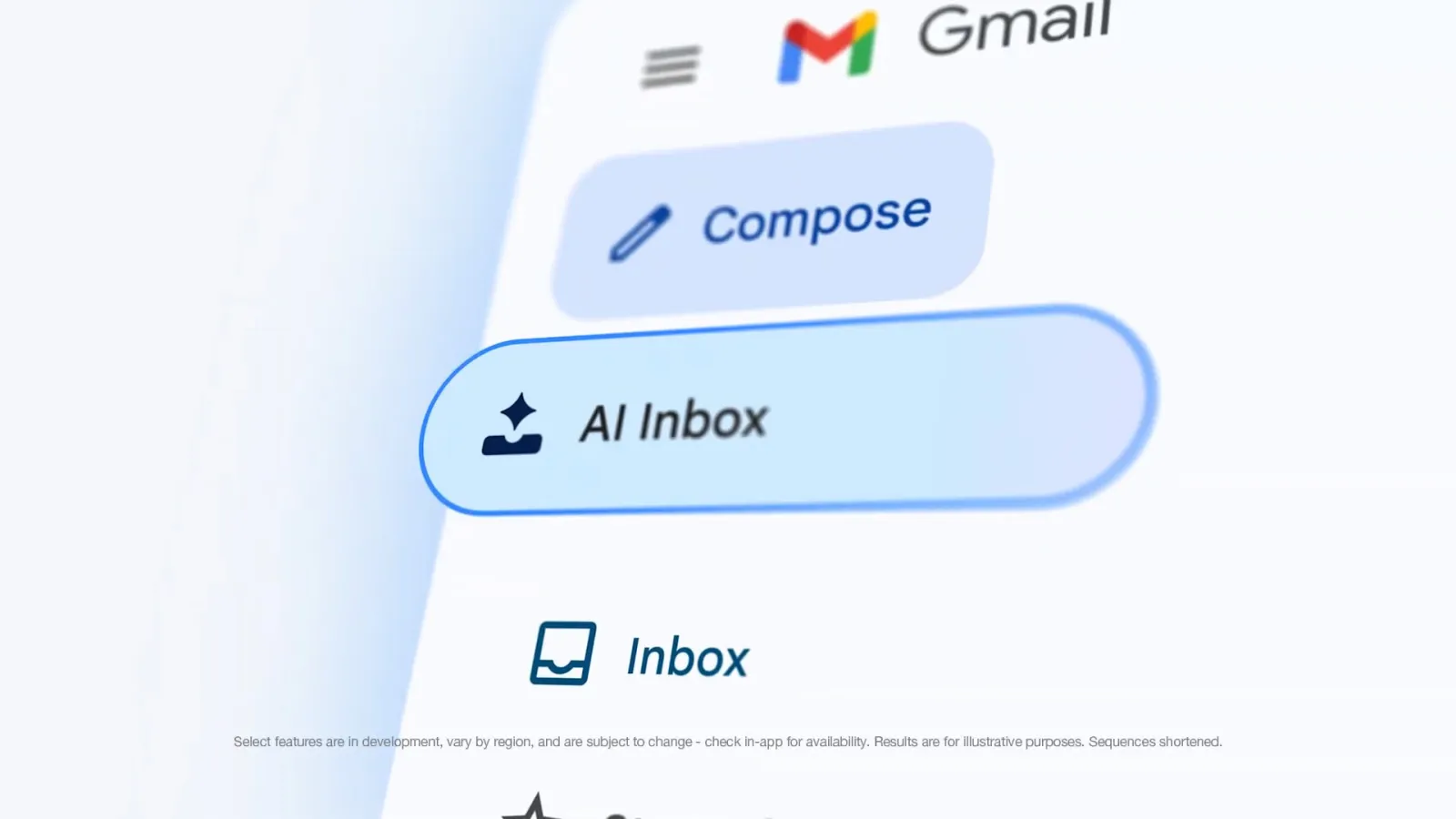
An overflowing inbox can create the illusion that everything is urgent. A newsletter, a routine notification, and an email containing a deadline may all compete for attention, even though their importance is very different.
Google’s AI Inbox is designed to surface suggested to-dos and topics that may deserve attention. It can highlight tasks and summarise updates across relevant conversations, helping users identify what needs action. Google describes it as a beta experience with specific account and regional requirements. Read the AI Inbox guide.
For a small business owner, that might mean noticing a message about an upcoming payment or an outstanding project rather than losing it among promotional emails.
There is an important limitation, however. Google’s current help documentation says AI Inbox is available in English in the United States for eligible personal Google AI subscribers and certain qualifying work or school accounts. It is therefore not a feature every South African Gmail user can simply switch on today.
That distinction matters. Technology journalism should separate what a company has announced from what readers can actually access.
7. Gmail’s Privacy Questions Deserve Attention, Too
The more useful AI becomes, the more reasonable it is to ask what happens to the information it processes.
Email can contain personal conversations, invoices, business proposals, identification documents and sensitive customer details. Convenience should never be the only consideration when deciding whether to use AI tools with that information.
In an April 2026 explanation, Google said it does not train its foundational AI models, including Gemini, on users’ personal emails and described how Gemini in Gmail processes information for specific requests. Read Google’s privacy explanation.
That is useful context, but it should not be interpreted as permission to share sensitive information carelessly. Users should review the privacy terms applicable to their account, their organisation’s policies and the permissions they have enabled.
For businesses, especially those handling customer information, it is sensible to establish clear rules about which tools employees may use and what information they may enter into them.
AI should make professional work more efficient without encouraging people to become less thoughtful about confidentiality.
Revolutionize Your Email Experience: Gmail's Latest Updates Will Blow Your Mind! Share on XWhat Do Gmail’s Latest Updates Mean for South Africans?
For everyday users, Gmail’s direction suggests that email management is becoming less about sorting messages manually and more about finding information, understanding context and deciding what deserves attention.
For students, that could mean easier navigation of university correspondence. For freelancers, it could mean quicker follow-ups and fewer forgotten details. For founders and professionals, it could mean more time spent on clients and projects rather than administrative tasks.
However, feature availability depends on your account, subscription, device, language and location. Some AI features are available to eligible users internationally, while others remain restricted or are being rolled out gradually. Check Google’s official Gmail feature availability guide before making decisions based on a particular feature.
Revolutionize Your Email Experience: Gmail's Latest Updates Will Blow Your Mind! Share on XGmail’s latest updates reflect a wider shift in technology. We are moving from software that simply stores information towards tools that help us interpret it and act on it.
I would measure Gmail’s success not by how many new features Google introduces, but by whether those features help people communicate more clearly, make fewer avoidable mistakes and reclaim time for work that matters.
The goal is not to spend your life answering emails at record speed. It is to spend less time managing your inbox and more time doing something meaningful beyond it.
And if Gmail can help us achieve that, perhaps the next great productivity upgrade is not another hour in the day. Perhaps it is finally getting our inboxes out of the way.


We at SFI.COZA think that stories have the ability to educate, uplift, and unite people. As a sociable and committed editor, we work hard to provide rich media coverage that connects with our audience. Our ambition to positively touch our audience's lives, one article at a time, is equal to our enthusiasm for storytelling. Come along on this adventure with us as we explore the planet.






Leave a Reply